Warnetopia Internet Cafe PC & Line Upgrade Order
A practical purchase order for Internet Cafe stations: unlock lines, finish kits, then upgrade the parts that actually pay.
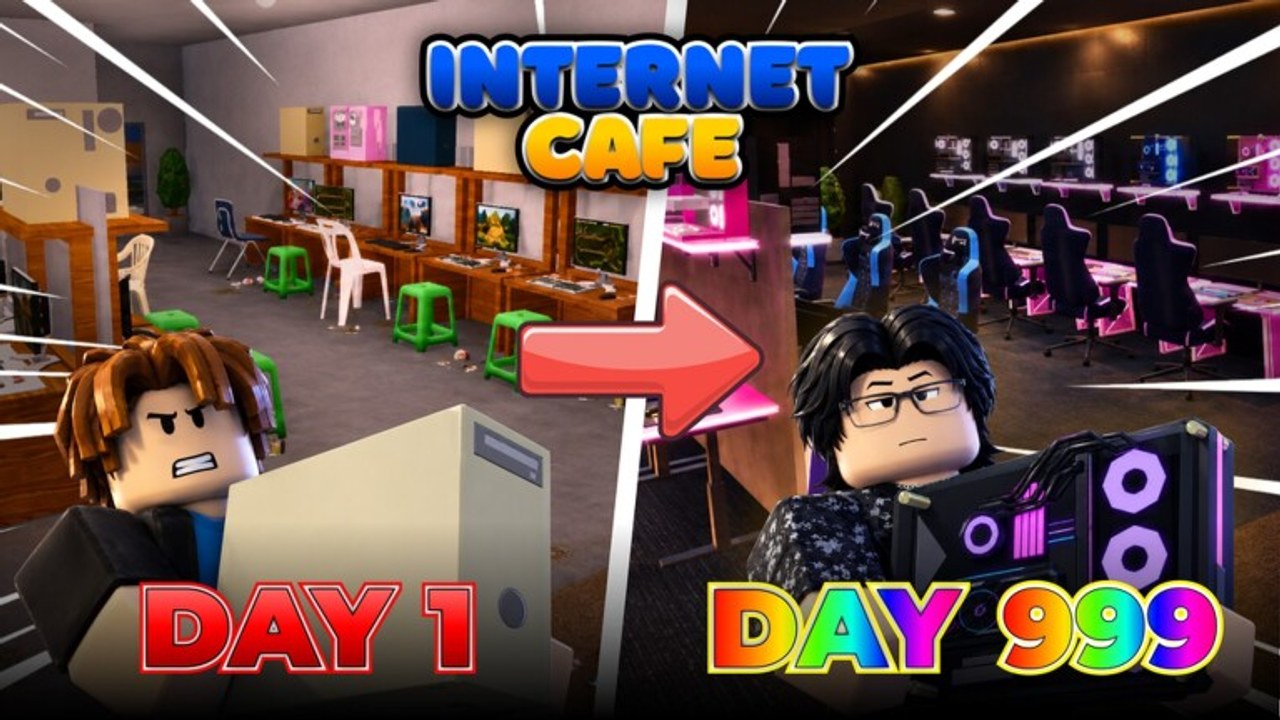
PC upgrades are the spine of Internet Cafe. Furniture makes the room yours; machines make the room earn. This guide turns the shop into a sequence so you stop guessing which part to click next. Use it with the Tier List and Earn Fast guides.
Exact SKU names can change after patches. When labels differ, keep the logic: completeness first, then payout quality on live seats, then comfort/cosmetics.
Station anatomy
Most café tycoon seats break into layers:
- Line / desk unlock — permission to build another station slot.
- Case / tower — core machine presence.
- Monitor — often a major visible upgrade step.
- Peripherals — keyboard, mouse, headset as required.
- Chair / comfort — sometimes cosmetic, sometimes tied to satisfaction.
- Optional extras — cable management props, pads, RGB kits.
If the live shop merges some steps, treat merged bundles as a single completeness gate: do not walk away mid-bundle.
Golden rule
Never start station N+1 until station N can earn.
Half-built rows are how players feel broke despite “owning lots of PCs.”
Recommended early order
Step A — Line 1 completeness
- Unlock line/desk 1.
- Buy the minimum case + monitor + required input devices.
- Confirm the seat is usable / generating.
- Collect once to verify the payout path.
Step B — Line 2 completeness
Repeat the same kit on line 2 before upgrading line 1 to premium parts. Two weak-but-working seats almost always beat one maxed throne in the first session. This matches Getting Started.
Step C — First quality pass
Upgrade monitors or cases on whichever seat you collect from most. Put quality where uptime is highest.
Step D — Line 3+ or kitchen fork
- If floor space and cash allow, open another finished PC line.
- If a kitchen update offers a clear second income and your PC floor is stable, divert a controlled budget—see Customize Base.
- If neither, deepen peripherals on existing seats.
Mid-game upgrade matrix
| Priority | Upgrade | Why |
|---|---|---|
| 1 | New finished line | More parallel income |
| 2 | Monitor/case on busiest seats | Raises value where traffic already exists |
| 3 | Required peripherals left on “temp” parts | Closes hidden completeness gaps |
| 4 | Chair upgrades with payout effect | Only if shop shows economic benefit |
| 5 | RGB / vanity kits | After income targets for the session are hit |
Anything that does not change payout or capacity drops to the bottom unless you are specifically theming for screenshots.
Late-game hardware goals
- Every active seat at the meaningful cap for case/monitor.
- No orphan desks waiting on a missing mouse.
- Expansion wings still follow the same completeness rule.
- Re-evaluate after Updates—new tiers may outclass old “max” parts.
Late game is also when chair and décor synergy matters more: a themed LAN row can use matching peripherals without hurting the economy because the economy is already solved.
How codes interact with PC buys
Redeem first (Codes), then ask: “Does this reward finish a seat or only decorate?”
- Cash → next completeness step on the current target line.
- Free parts → install on an unfinished seat immediately.
- Décor-only rewards → park them until the PC floor is stable.
Codes named around customization or Halloween are easy psychological traps. Enjoy them—just schedule them.
Pathing and placement rules for machines
- Face monitors toward open aisles when possible so the space reads as a café, not a storage unit.
- Leave at least a clear walking lane between rows for you, friends, and customer pathing.
- Keep the collection point near the densest cluster of upgraded seats.
- Avoid placing a premium PC behind a prop maze you built for vibes.
Bad placement taxes every upgrade you just bought.
Troubleshooting weak payouts
- Is the seat actually complete?
- Are you collecting often enough?
- Did a patch change part efficacy? Check Updates.
- Is the station blocked or unreachable?
- Did you invest in vanity while neighboring seats remain unfinished?
If payouts still feel wrong after those checks, compare notes with friends on the same server version before assuming you need scripts. Automation risks are covered on Scripts.
Session checklist (print this mentally)
- Target seat identified.
- Buy only parts for that seat until it earns.
- Collect.
- Either upgrade that seat’s weakest economic part or start the next seat’s base kit.
- Stop when the next purchase would be pure vanity without a cash buffer.
Related reading
- Spending strategy: Earn Fast
- S/A/B/C view: Tier List
- Room theming after machines: Customize Base
- Badge hunting between upgrades: Players
Mastering PC upgrade order is what separates a café that prints money from a café that only looks expensive. Follow completeness, then quality, then cosmetics—and every Robux-free session climbs faster.
Frequently Asked Questions
Quick answers about codes, upgrades, and growing your café.
What PC part should I buy first?
Whatever completes your current station. Unlock the line, then case, monitor, and required peripherals before starting another desk.
Is it better to max one PC or build multiple?
Build multiple finished basic seats first, then upgrade parts on the busiest machines. Extreme single-seat maxing is usually slower early.
When do chair and RGB upgrades matter?
After seats earn reliably. Buy comfort or RGB earlier only if the shop clearly ties them to payout; otherwise treat them as late vanity.
How do kitchen updates change PC priority?
Keep PCs as the backbone. Add kitchen once two or more stations are stable, as described in Customize Base.